
Eero The Casual Mans Router
My Thoughts on Amazon's New Eero Routers
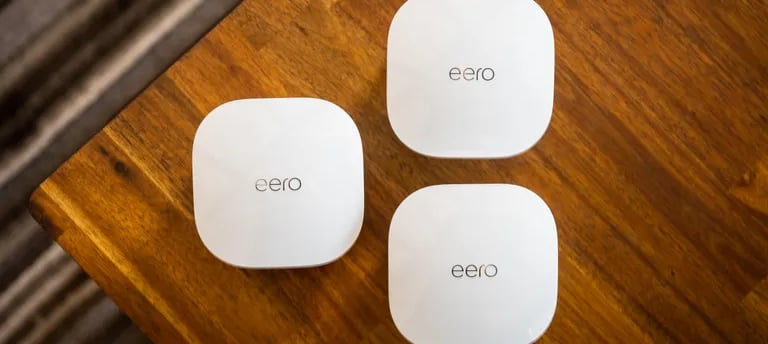
Eero Mesh Router Review: Simple Setup, Speedy Performance (But With Caveats)
Eero is Amazon's popular brand of mesh routers, known for their user-friendly design and whole-home Wi-Fi coverage. But with so many mesh router options on the market, is Eero right for you? In this review, we'll break down the pros and cons of Eero routers to help you decide.
Pros:
Simple Setup and Use: Eero is known for its incredibly easy setup process. As an IT guy, I like being present when the ISP is there setting up my home network to make changes as necessary that would allow my home network to run in the fashion I would like. But I was at work when they came and set it up. And my girlfriend was there so she set it up with no router/internet knowledge or experience with any device similar. The app-based setup guides you through the entire process, making it a breeze to get your network up and running in minutes, even for non-tech-savvy users.
Strong Performance: Eero routers deliver consistent and reliable Wi-Fi performance throughout your home. They come in various models with different coverage areas and speeds. With the latest Wifi 6 and Wifi 6E options, even offering Wifi 7 on there newest routers, making them future proof. Eero offers blazing-fast wireless speeds for streaming, and data-intensive tasks.
Scalable Coverage: Eero systems are modular, so you can easily add additional nodes to extend coverage as your needs grow. This is especially useful for larger homes with thick walls or multiple floors.
Smart Home Integration: Some Eero models come with a built-in Zigbee hub, allowing you to connect and manage your smart home devices directly through the Eero app.
App Features: The Eero App comes with some really cool features. Such as the ability to pause internet access to devices, the ability to set up schedules to block certains website or connections during certain hours, automatically blocks malware or phishing attempts when you visit unsafe sites or have malware installed. I had a friend visit and my gf put him on our main wifi, and we found out he had malware installed from the Eero app telling us.
Guest Wifi: As mentioned in the last one, you can have 2 different SSID's completely separate of each other. One for you and your devices and one to give internet access to your guests, however they would be unable to interact with you or your devices. Keeping your device and network safe.
Cons:
Limited Features: Compared to some competitors, Eero routers offer a more basic feature set. You might miss out on advanced functionalities like Quality of Service (QoS) prioritization or granular parental controls. These features are often locked behind a subscription service.
Subscription Costs: Some advanced features like advanced parental controls and security tools require a separate subscription to Eero Secure+. This can add an ongoing cost to your Eero purchase.
Limited Wired Ports: Some Eero models only offer a few ethernet ports, which might be limiting if you have many wired devices. Which was a huge problem for me when setting up the network. Since I have 3 different PC's that need a wired connection. So I had to bug my ISP to send me a separate router to plug into the ONT just to give me more ports to plug into.
Random Limits: Throughout my use of the eero routers, I noticed when I had something plugged into it, randomly the speeds would be limited to 10/10 MB/s on the ports despite paying for 1gb and them bragging about 1gb connections. My ISP tried to resolve the issue with a new Eero Router and many visits but could not determine the cause.
Lying about Wifi: For a while before we figured a way to get a wired connection for my 3 computers. My girlfriends computer was plugged directly into our Mesh Eero, the extender her dad gave us. They brag about 1gb port and that they can send 1gb wirelessly to devices. However when she was plugged in she was only getting about 300/300, which is plenty for her, but if someone like me who usually needs more speed at any given time, then the lie they told about the speed is a much bigger deal.
No Backend Management: My time with the ISP they were not able to get into the router, and the only way to manage the device is on the App on your phone. No Management IP means the ISP can't perform troubleshooting past basic steps.
Who Should Get Eero?
Eero is a great choice for users who prioritize ease of use and reliable Wi-Fi performance. If you have a smart home and want a simple way to manage your devices, Eero models with a built-in Zigbee hub are a plus.
However, if you are a serious gamer or more tech-savvy, stay away from these routers. Only one port. Random Limits. No Management System, are just to much to deal with and the other features are being provided on the newer routers with Netgear.
Overall, I personally do not like them but I could see a regular consumer using them. Since 90% of people do not need or care about wired connections or 300+ speed.